“The future belongs to creators who can clearly tell machines what they mean.”
“You don’t need more ideas. You need better translation between your mind and AI.”
In 2026, content creation is no longer limited by creativity — it is limited by clarity of instruction.
Across platforms, studies from major industry reports (including McKinsey’s generative AI insights and Adobe’s creator economy analysis) consistently show that creators who use structured AI prompting workflows produce content up to 3–5x faster and achieve significantly higher content consistency compared to unstructured prompting habits.
But here’s the real shift:
It is no longer about “using AI tools.”
It is about speaking the AI style language — a structured way of describing your idea so AI can accurately reflect your intent.
For many creators, especially those who feel “AI doesn’t get me,” the problem is not the tool.
It is the language mismatch.
The digital century has changed everything about how we create content — and it happened faster than anyone expected. Not long ago, creativity relied mostly on skill, practice, and time. Today, AI can generate visuals, videos, and ideas in seconds. But this new convenience also reveals a painful gap: people who don’t understand AI fall behind, while those who embrace it move forward with incredible speed.
This contrast is becoming clearer every day.
Creators without AI struggle with long editing hours, inconsistent results, and the frustration of not being able to match what they imagine. Meanwhile, creators with AI enjoy faster production, clearer direction, and the ability to generate multiple variations instantly. But even among those using AI, there’s another challenge: AI only works well if you know the right language to speak to it.
And that is the new skill the digital century demands.
The Hidden Pain Point: AI Makes Things Faster, But Also Requires More Knowledge
Yes, AI can do more in minutes than humans once needed hours for — but the catch is this:
To get good results, you must know how to describe what you want.
Creators now need to understand far more than just editing basics. The new digital creative language includes:
- AI style descriptions
- Lighting terms
- Camera angles
- Mood and atmosphere
- Color temperature
- Composition style
- Texture and surface descriptions
- Genre and aesthetic keywords
- Rendering styles (3D, cartoon, cinematic, etc.)
- Subject and environment detailing
This is the “AI vocabulary” every creator must learn.
If you don’t know these words, AI gives you random results. If you do know them, AI becomes your most powerful creative assistant.
Why This Matters More Than Ever
We’re no longer competing with the creators around us — we’re competing with the speed of technology itself. The gap between those who understand AI prompting and those who don’t is widening rapidly.
- Without AI knowledge: results feel “off,” slow, or outdated.
- With AI knowledge: your videos, visuals, and content look polished, modern, and aligned with current trends.
The difference shows immediately.
Brands can see it.
Audiences can see it.
Algorithms can see it.
This is why picking up AI prompting skills is no longer optional — it’s a survival skill in the digital age.
Your Shortcut: A Simple Guide to CapCut AI Style Descriptions
To help creators bridge this gap, here’s a guide to understanding the AI description styles in CapCut — so you can finally get the output you want without guessing.
- Comic Strip / Comic Book
Bold outlines, halftone dots, speech bubbles. - 3D / 3D Cartoon / 3D Render
Pixar-style faces, glossy textures, depth look. - Anime / Manga
Line-art, cel-shading, big eyes, dramatic effects. - Watercolor / Painting / Oil Art
Soft pastel strokes, brush textures. - Sketch / Pencil / Line Drawn
Hand-drawn outline style. - Pixel / Retro / 8-bit
Old-school game style. - Kawaii / Cute Pastel / Soft Girl
Soft colours, sparkles, pastel kawaii stickers. - Neon / Cyberpunk / Futuristic
Glowing lines, neon lights, dark contrast. - Vintage / Film / Grain
Old camera look, warm tones, scratches. - Aesthetic Minimalist
Clean, white space, simple modern layout. - Moody / Dark Cinematic
Deep shadows, dramatic vibes. - Glitch / Distortion
VHS glitch, RGB split. - Portrait Beauty / Makeup Filter
Smooth skin, beauty retouch. - AI Transformation
Turns your photo into:
– Disney style
– Pixar character
– Korean drama look
– Movie poster
– Avatar / Game character
– Realistic painting
Interactive / Movement Styles
- Motion Graphic Text
- Kinetic Typography
- Dynamic Zoom / Parallax
- Velocity Edit Style
- Beat Sync / Auto Beat Sync

By learning the right keywords for style, lighting, mood, and angles, you gain control over your creative direction instead of letting AI decide for you.
What is “AI Style Language” for Creators?
AI Style Language is the structured way of writing prompts that improves AI accuracy, tone matching, and brand consistency.
Instead of:
“Make me a nice Instagram caption”
You say:
“Create a calm, emotionally warm Instagram caption for a wellness brand targeting overwhelmed entrepreneurs. Tone: soft, grounding, slightly poetic. Include one reflective question at the end.”
This shift transforms output quality instantly.
It is the difference between:
- random content
vs - brand-aligned communication systems
Let AI Work For You, Not Against You
You don’t need to become a filmmaker or photographer to thrive in this new digital century — but you do need to understand the language AI listens to. Once you master a few simple style descriptions, everything becomes easier: your workflow speeds up, your visuals improve, and your ideas translate accurately into finished content.
Let this guide be your starting point.
The more you learn how to “speak AI,” the more unstoppable your creativity becomes.
Why This Matters More in 2026 (The Marketer & Creator Reality Shift)
The creator economy is expanding, but attention is shrinking.
Short-form content platforms now reward:
- faster ideation cycles
- consistent visual identity
- algorithm-friendly structure
- repeatable content systems
Reports from creator economy trends suggest:
- Over 70% of creators use AI tools weekly
- But less than 30% feel satisfied with AI output consistency
- And inconsistency is the #1 reason brands lose audience trust
The gap is not AI access.
It is prompt literacy.
CapCut AI Tricks That Amplify AI Style Language
Tools like CapCut are becoming central to modern content workflows.
But most creators underuse it.
Here are practical AI style language + CapCut AI workflows:
1. Script-to-Video Prompting
Instead of uploading raw ideas, structure your script like:
- Hook (emotion trigger)
- Problem statement
- Micro story
- Value point
- CTA
CapCut AI then generates smoother pacing and better scene alignment.
2. Emotional Tone Mapping
Use AI style language tags like:
- “calming / reflective”
- “high-energy motivational”
- “luxury aesthetic storytelling”
- “soft-spoken educational tone”
This dramatically improves auto-captioning + voiceover alignment.
3. Visual Prompt Consistency
Instead of random edits, define:
- color mood
- pacing speed
- transition style
- audience emotion goal
This ensures your videos feel like a brand system, not isolated posts.
The Hidden Skill: Prompt Design = Brand Design
Most creators think branding is:
- logo
- colours
- fonts
But in 2026, branding is increasingly defined by:
“How consistently your content feels across AI-generated outputs.”
AI style language becomes:
- your creative control system
- your consistency engine
- your identity translator
How IreneKreations Helps Creators Build This System
At IreneKreations, we help creators move from scattered ideas to structured AI-powered content systems.
Our focus is especially designed for:
- creators who feel overwhelmed by trends
- business owners struggling with content consistency
- neurodivergent thinkers who need structured creative frameworks
- coaches and freelancers building personal brands
- beginners who “know what they want to say but can’t express it clearly”
What we build with you:
- AI prompt frameworks tailored to your brand voice
- content structure templates (reels, captions, scripts)
- brand consistency systems using AI tools
- simplified workflows for faster creation without burnout
The goal is not to make you “sound like AI.”
The goal is to make AI sound like you, but clearer.
People also ask online:
1. What is AI style language in content creation?
AI style language is a structured way of writing prompts so AI tools can generate more accurate, brand-aligned, and consistent content outputs.
2. Why does AI not understand my prompts properly?
Most AI issues come from vague instructions. Lack of structure, tone definition, and audience clarity leads to inconsistent outputs.
3. How do I make CapCut AI videos more professional?
Use structured scripting, define emotional tone, and maintain consistent visual and pacing instructions when generating AI-assisted edits.
4. Can AI help me if I struggle with content consistency?
Yes. AI works best when given structured frameworks. It can help build consistency in tone, messaging, and content output systems.
5. Is AI replacing content creators in 2026?
No. AI is replacing repetitive execution, not creative direction. Human clarity, storytelling, and brand identity remain essential.
6. What is the easiest way to start using AI for content creation?
Start with structured prompts: define audience, tone, format, and purpose before generating content.
Conclusion: The Future Belongs to Structured Marketers & Creators
In 2026, creativity is no longer the problem — clarity is.
Those who learn AI style language will:
- create faster
- build stronger brands
- reduce creative burnout
- scale content without losing identity
And those who don’t will continue feeling like AI is “almost right, but not quite.”
The truth is simple:
AI does not need you to be more creative — it needs you to be more precise.
So the real question becomes:
Are you ready to learn how to speak in a way that AI finally understands you?
✧⭒✦✧⭒✦◇ Ready to keep up? Learn more with Irene ✦⭒✧✦⭒✧
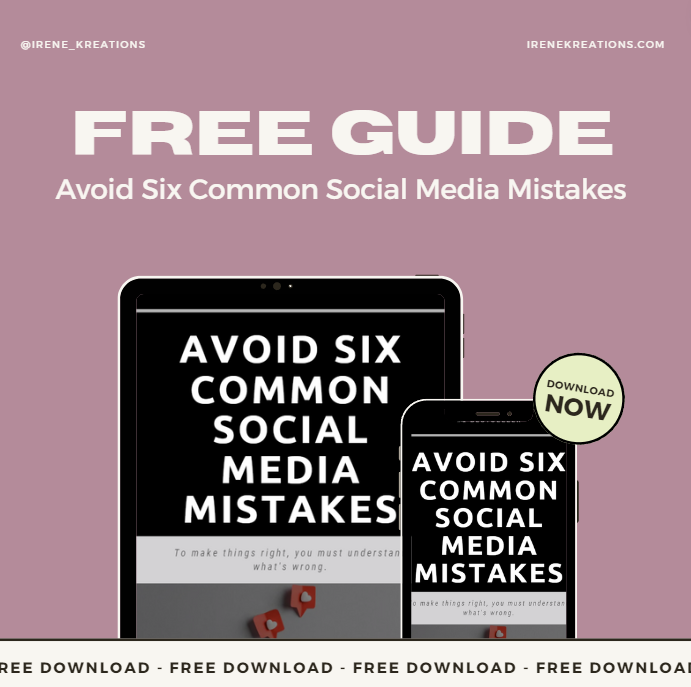
Still struggling with messy marketing or feel lost on social media? It’s time to change that. Dive into IreneKreations’ Recommended Social Marketing E-Books — a curated library filled with FREE and premium guides crafted for business owners who want real, lasting results.
From social media to content strategy and branding, these resources are your shortcut to making marketing finally make sense (and work).
Instant access. Powerful strategies. Business-ready results.
Join IreneKreations Telegram Channel for More FREE Social Content Tips here