There’s a quiet shift happening inside Canva.
Not just templates.
Not just drag-and-drop design.
But a growing ecosystem of AI-powered creative tools under “Explore” that allow you to:
- Rework visuals without reshooting
- Adapt content across platforms instantly
- Generate variations at scale
- Test creative directions quickly
And yet — most business owners are still using Canva the same way they did 2–3 years ago.
👉 Templates.
👉 Static posts.
👉 Safe, predictable content.
That’s where the gap is.
Canva Is No Longer Just a Design Tool
Under Canva’s AI features, you’ll find a wide range of tools that are quietly changing how content is created:
- Visual transformation tools (e.g. styling, editing, variation generation)
- AI-assisted layout and composition tools
- Background and environment generators
- Object isolation and repositioning tools
- Concept-to-visual generators (text-to-image)
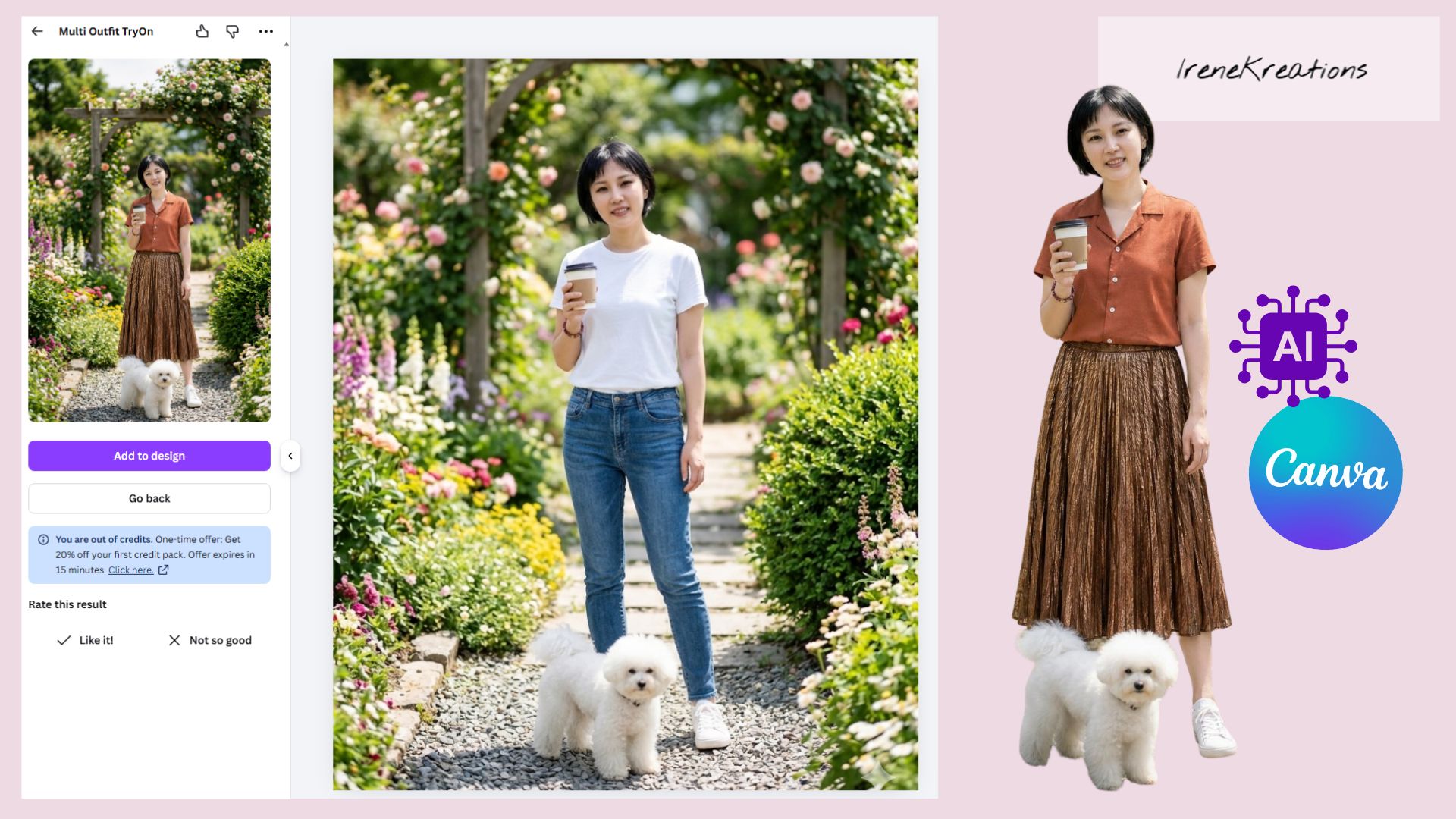
Yes, features like outfit-based visual variations exist —
but focusing only on one feature misses the bigger picture.
👉 The real shift is this:
You can now create multiple brand expressions from a single base asset.
Why This Matters (Especially If Your Content Feels “Stuck”)
If your content currently feels:
- Repetitive
- Visually flat
- Hard to scale
- Time-consuming to produce
It’s not because you lack tools.
It’s because you’re still thinking in:
“One idea → One post → One output”
AI inside Canva allows:
“One idea → Multiple executions → Strategic distribution”
The Hidden Problem: More Tools, More Confusion
Here’s what most business owners are experiencing right now:
- “There are so many Canva AI tools… which one should I use?”
- “Why does my content still look average?”
- “I tried the new features but nothing feels different.”
👉 Because tools don’t create clarity.
They amplify whatever thinking you already have.
If your foundation is unclear, AI just scales inconsistency faster.
The issue is not:
“You’re not using enough Canva features.”
It’s:
- You’re not clear on your brand identity
- You don’t define your visual direction before creating
- You rely on tools instead of decision-making frameworks
How to Actually Use Canva AI
1. Decide Your Brand Before You Touch Any Tool
Before opening Canva, define:
- What should people feel when they see your content?
- What kind of brand presence are you building?
- Calm? Premium? Friendly? Authority?
👉 Without this, every AI feature becomes noise.
2. Use AI to Multiply Direction, Not Random Ideas
Instead of exploring tools randomly:
Ask:
- “How can I express the same idea in different ways?”
- “How can I adapt this for different audiences or platforms?”
That’s where Canva AI becomes powerful.
3. Focus on Systems, Not Features
You don’t need to master every tool.
You need:
- A repeatable workflow
- A clear visual style
- A consistent message
👉 The tool supports the system — not the other way around.
Common Canva AI Features Worth Exploring (Strategically)
Instead of going deep into one feature, here’s how to think about the ecosystem:
Visual Adaptation Tools
- Resize, reframe, extend visuals
- Adjust compositions for different formats
Content Variation Tools
- Generate multiple versions of a single idea
- Test different visual directions
Scene & Background Tools
- Change environments without reshooting
- Align visuals to brand mood
Element Control Tools
- Isolate subjects
- Reposition or redesign layouts
Concept Generation Tools
- Turn ideas into visuals quickly
- Explore creative directions before committing
👉 Each tool serves a different stage of thinking, not just execution.
Moving Beyond Generic Content
Most business owners use Canva to:
“Make content look nice”
But high-performing brands use it to:
“Make content feel intentional”
Here’s the difference:
💡 Generic approach:
- “What template should I use?”
💡 Strategic approach:
- “What am I trying to communicate — and how should it feel?”
What people are struggling to understand in the digital space
Q: How can I DIY my social media content in Singapore without hiring an agency?
A: DIY content only works well when it becomes a system, not daily improvisation.
A practical approach:
-Learn your core content types
-Define brand pillars so you are not guessing topics every day
-Use AI with structured prompts, not random ideas or trend copying
-Build repeatable formats (hooks, breakdowns, CTA styles)
-Focus on consistency, not perfection
Q: How do I keep text readable on mobile?
A: Mobile readability is not just about font size—it’s about visual hierarchy and spacing.
Key technical + design considerations:
-Export in 1080 × 1920 (9:16 vertical format)
-Use minimum ~24pt font equivalent (larger if the video is information-heavy)
-Avoid placing text near screen edges (safe zone awareness)
-Maintain strong contrast between text and background
-Always preview on an actual phone, not just desktop editing software
If viewers have to “work” to read your content, retention drops immediately.
Q: Why are there so many Canva AI tools now?
A: Canva is evolving into an all-in-one AI-powered content platform, offering tools for creation, editing, ideation, and variation to meet increasing demand for fast, scalable content.
Q: Is learning Canva enough for content success?
A: No. Canva is an execution tool.
Success comes from:
- Strategic thinking
- Brand clarity
- Consistent communication
Q: What is an AI-generated image?
A: AI images are created using prompts instead of cameras. They are fast and flexible for concept visuals, but may not always accurately represent real products, people, or details.
Q: What is a real photo?
A: A real photo is captured specifically for your brand, product, or team. It reflects authenticity, builds trust, and helps audiences connect with your business on a more personal level.
Final Perspective
There are a lot of Canva AI tools now.
That’s not the only advantage.
👉 The advantage is knowing:
- What to use
- When to use it
- Why it matters
Because in a world where everyone has access to the same tools…
Clarity becomes the real differentiator.
✧⭒✦✧⭒✦◇ Get Social Media | Branding | Marketing | Content Strategy Support in Singapore ✦⭒✧✦⭒✧
You can start in a way that feels more comfortable:
1. Join the Kreators Community (Free)
A supportive, non-transactional space where creators and business owners come together to learn, share, and grow.
It’s not about hard selling or competition — it’s more like a kampung-style environment where people:
-Exchange ideas and experiences
-Learn from Irene on the ground in a practical content creation session
-Build genuine connections with other creators & business owners
The focus is on growing together, not performing alone.
👉 [Join Kreators Community]
2. Explore Self-Study E-Books
If you prefer to process things at your own pace, IreneKreations E-books are designed to help you:
-Think clearer about your content and positioning (for a specific niche)
-Understand why you’re stuck (not just what to do)
-Build your own structure without overwhelm
👉 [Browse Growth Hacks E-Books Library]
3. Follow My Telegram Channel (Free Tips & Insights)
If you’re still observing and learning, this is a good place to start.
I regularly share:
-Practical content and branding insights
-Realtime Tips or Customer’s Proven Case Study
-Real thoughts behind strategy (not just surface tips)
-Observations from real business and creator experiences
-At times, leveraging AI for content marketing tips
👉 [Join IreneKreations Telegram Channel]
4. Subscribe to My Email List (Free Insights)
If you prefer something simple, you can join my mailing list.
This is where I share:
-Deeper breakdowns of Marketing knowledge and experience sharing
-Insights I don’t always post on social media
-Practical reflections to help you think more clearly about your direction
It’s designed for people who want steady clarity over time, not just quick tips.
👉 [Subscribe to Email List]
You don’t have to figure everything out alone.
But you also don’t have to rush your process.
Whether you prefer:
-Talking things through
-Learning at your own pace
-Getting small consistent insights
-Or simply observing for now
There’s a space for you here, built and supported by IreneKreations.